How the Debt Avalanche Method Works (With a Free Calculator)
November 3, 2026
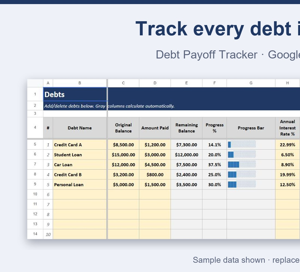
Download free file
The debt avalanche method is simple: pay the minimum on every debt, then put every extra dollar toward the debt with the highest interest rate. Once that one's gone, move to the next-highest rate, and so on. It's the mathematically fastest way to become debt-free and pay the least total interest — the free calculator below ranks your debts for you so you always know which one to attack first.
How it works, step by step
- List every debt you have with its balance and interest rate.
- Pay at least the minimum on all of them, every month — never skip a minimum payment.
- Send every extra dollar you can find to the debt with the highest interest rate (your "priority #1").
- When priority #1 hits zero, roll that entire payment — minimum plus whatever extra you were adding — onto the next-highest-rate debt.
- Repeat until every debt is paid off.
Worked example
Take four debts:
- Credit Card A — $8,500 balance, 22.99% interest
- Credit Card B — $3,200 balance, 19.99% interest
- Car Loan — $12,000 balance, 8.9% interest
- Student Loan — $15,000 balance, 6.5% interest
Sorted by interest rate, the avalanche order is: Credit Card A first, then Credit Card B, then the Car Loan, then the Student Loan — regardless of which one has the biggest balance. The Student Loan is the largest debt here, but at 6.5% it's also the cheapest to carry, so it waits until the three higher-rate debts are cleared.
Avalanche vs. snowball
The snowball method sorts debts by smallest balance instead of highest interest rate, so you pay off the smallest debt first for an early win. It can feel more motivating because you clear a whole debt sooner. The avalanche method takes longer to get that first "paid off" moment but saves more money overall, since you're cutting off your most expensive interest first — if you can stick with a plan without the early win, avalanche is the cheaper path.
Try it with your own numbers
The free calculator below has the same four-column layout as the example: enter each debt's name, balance and interest rate, and the Priority column ranks them automatically — no manual sorting. It's a simplified version of the full tracker: it ranks your debts but doesn't estimate a payoff date or simulate extra payments.
Get the full tracker
The Debt Payoff Tracker (Google Sheets) builds on this calculator with a remaining-balance column, an estimated payoff date for every debt, a dashboard with your total debt and weighted average interest rate, and a what-if simulator that shows how many months you save by adding a fixed extra payment. A browser-app version is also available if you'd rather not use a spreadsheet at all.
More to explore
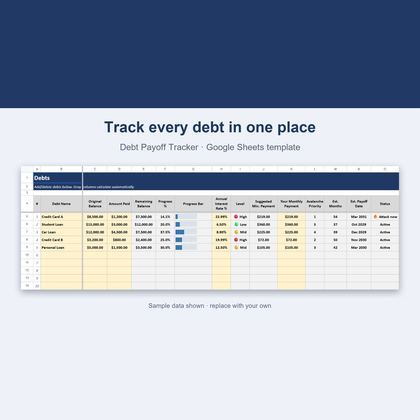
Debt Payoff Tracker — Google Sheets & Excel
Avalanche method, payoff dates and a what-if simulator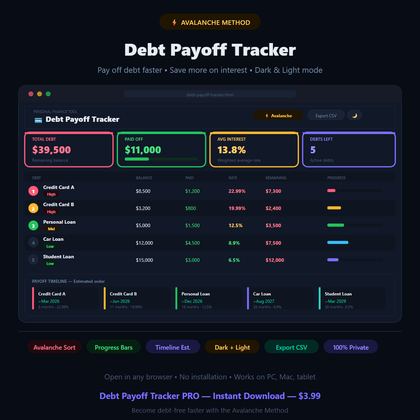
Debt Payoff Tracker — Browser App (Avalanche Method)
Avalanche-method debt tracker in dark and light modeFAQ
Does the avalanche method always save more money than the snowball method?
Yes, mathematically — paying off the highest-interest debt first always minimizes total interest paid. The snowball method can still be the right choice if the early psychological win of clearing a small balance keeps you motivated to stick with the plan.
What if two debts have the same interest rate?
It doesn't matter much which you attack first — put extra money toward either one, or split it, since the interest cost is the same either way.
Do I need to stop paying minimums on other debts?
No. Always keep paying the minimum on every debt. The avalanche method only changes where your extra money goes, not your minimum payments.
Does the free calculator estimate how long until I'm debt-free?
No — the free version only ranks your debts by interest rate. The full Debt Payoff Tracker adds an estimated payoff date for each debt and a what-if simulator for extra payments.
Can I use the free calculator in Excel, not just Google Sheets?
Yes, it's a standard .xlsx file that opens in both Google Sheets and Excel.