How to Track Your Holiday Gift Budget & Shopping in Google Sheets (+ Free Template)
Published November 17, 2026 · ⏱️ 4 min read · Printable Resource Guide
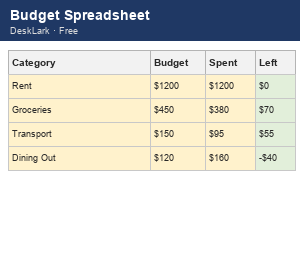
Download free file
The holiday season is joyful, but December spending can quickly spiral out of control. Between family gift lists, secret Santas, festive groceries, holiday travel, and unexpected seasonal extras, small impulse purchases compound into a stressful January credit card bill.
The secret to a relaxed holiday season isn't cutting out gifts—it's creating a clear recipient budget before Black Friday sales begin, and tracking every purchase in one place.
Here is a practical, step-by-step system for managing your holiday shopping, gift delivery deadlines, and overall holiday budget using Google Sheets or an offline browser tracker.
1. Set a Total Holiday Ceiling (Before Making a Gift List)
Most people make a list of names and guess what each person wants, resulting in an unbudgeted total that exceeds their monthly savings. Instead, reverse the math:
- Decide Your Total Number: Look at your November and December cash flow. Determine the maximum amount of money you can comfortably spend on the holidays without carrying debt into January.
- Allocate by Category: Reserve 60% for gifts, 20% for holiday meals and baking, 10% for festive outings or events, and a critical 10% buffer for last-minute cards, wrapping supplies, and surprise presents.
- Track Against the Cap: When entering items into your spreadsheet, keep your overall category progress bar visible so you know whether you have room for splurges.
Our ready-to-use Christmas Budget & Gift Tracker (Google Sheets & Excel) calculates your remaining balance automatically with live formulas, color-coded status badges, and budget progress meters.
2. Structure Your Recipient Gift Tracker
A basic to-do list doesn't give you enough visibility into delivery dates and shipping costs. A high-efficiency holiday spreadsheet tracks six core fields for every recipient:
- Recipient & Group: Group names by Immediate Family, Extended Family, Friends, Coworkers, and Service Providers.
- Gift Idea & Direct Store Link: Save product ideas and URLs as you browse early sales so you don't forget where you found a specific discount.
- Allocated Budget vs. Actual Price: Set a target spending limit per person (e.g. $25 for coworkers, $75 for siblings) and log the final receipt total including taxes.
- Order Status: Mark each item as Idea, Purchased, Wrapped, or Delivered.
- Shipping / Tracking Number: Keep track of arrival dates so no gifts are delayed past Christmas Eve.
- Hiding Spot: A private notes column for parents where you log where physical gifts are stashed around the house before wrapping.
If you prefer a standalone tool that doesn't require Google Drive or Microsoft Excel, our offline Holiday Gift & Budget Tracker (Browser App) runs locally in any web browser on your phone, tablet, or laptop with total privacy.
3. Account for Hidden Holiday Expenses
Gifts account for only a portion of true holiday spending. Overspending usually happens in overlooked categories:
- Holiday Feasts & Baking: Thanksgiving turkeys, Christmas roast, baking supplies, and party appetizers add 30% to typical grocery expenses.
- Holiday Cards & Postage: Custom photo cards, envelopes, and international stamps.
- Seasonal Decor & Wrapping: Wrapping paper rolls, gift tags, ribbons, and replacement tree lights.
- Travel Expenses: Gas for road trips, winter vehicle checks, or flights to visit relatives.
Keeping all of these alongside your gifts in an all-in-one hub like the Holiday Planner PRO ensures your total December cash outlay stays strictly within bounds.
4. Bridge the Gap to New Year Financial Goals
Finishing the holiday season on budget is the strongest possible foundation for starting the new year with financial confidence. Once your holiday spending wraps up, transfer your tracking habit directly into an annual financial plan with our Personal Finance Dashboard.
Download our free starter budget template below to set your initial category targets today:
More to explore
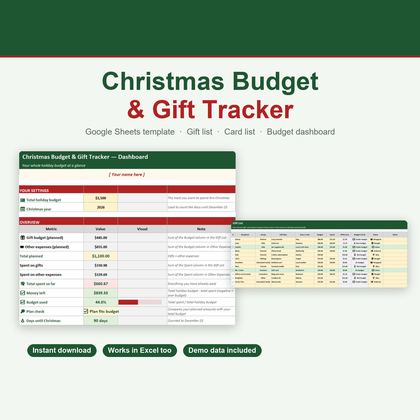
Christmas Budget & Gift Tracker — Google Sheets & Excel
Holiday budget, 40-slot gift list, other expenses and card tracker in one spreadsheet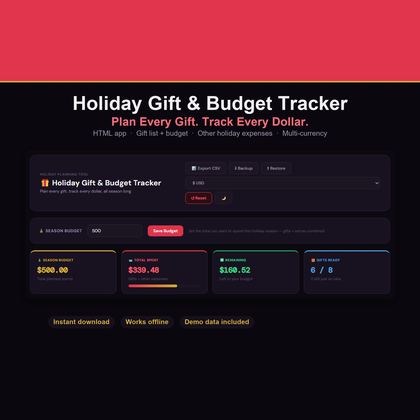
Holiday Gift & Budget Tracker — Browser App
Christmas gift list, budget vs actual and recipient tracker in dark & light mode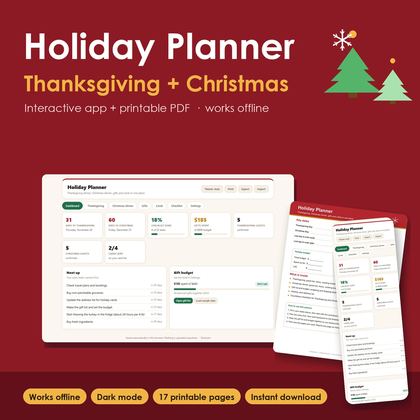
Holiday Planner PRO — Thanksgiving & Christmas Hub
Thanksgiving & Christmas dinner menus, guest list, gift budget and holiday cards in one dashboard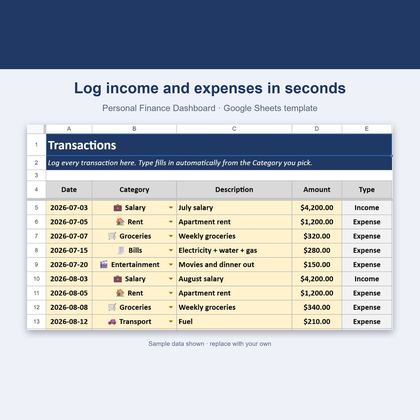
Personal Finance Dashboard — Google Sheets & Excel
Income, expenses, budgets and savings rate in one spreadsheetFAQ
Does the Google Sheets holiday tracker require an internet connection?
You need an internet connection to initially copy the template to your Google Drive, but Google Sheets allows offline editing. If you want a completely offline solution that never touches the cloud, our Browser App version runs 100% offline in Chrome, Safari, or Edge.
Can I use this for multiple holiday seasons?
Yes! You can duplicate the spreadsheet tab or save a fresh copy every November. Your purchase includes lifetime access with no annual subscriptions or renewal fees.
How do the color-coded budget badges work?
As you enter actual purchase prices, conditional formatting automatically turns cells green if you are under budget, and red if an item exceeds your target allocation, giving you instant visual feedback.