Freelancer Starter Kit — Google Sheets & Excel
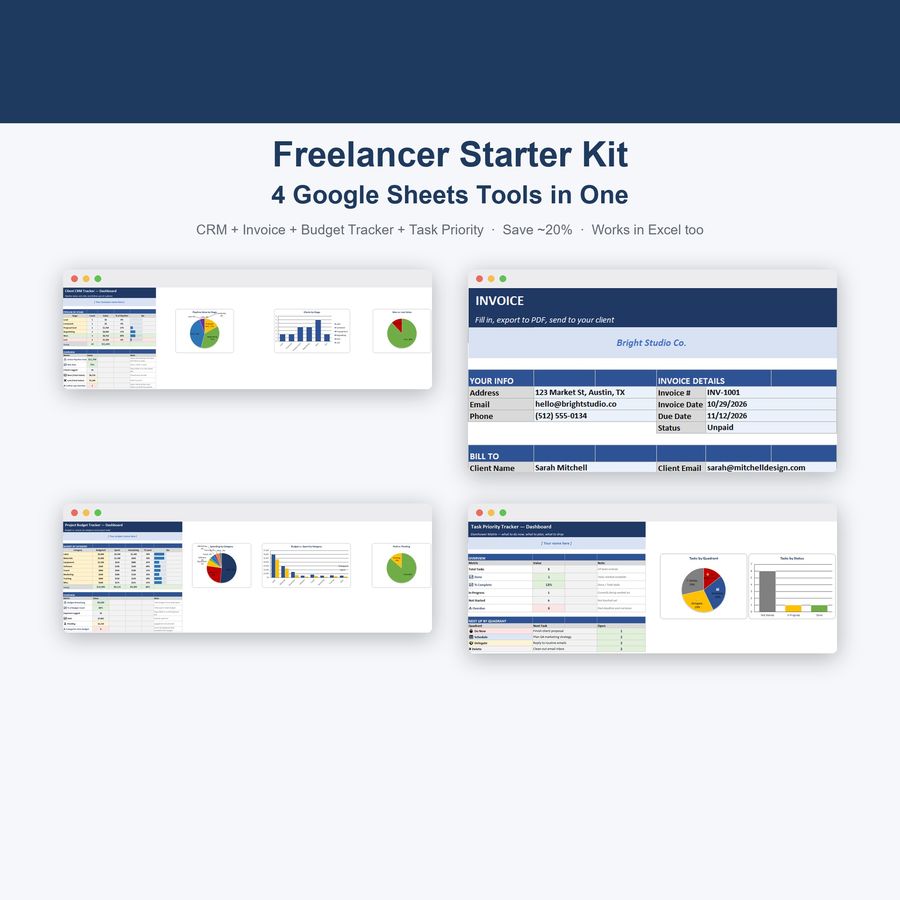
CRM, Invoice, Budget Tracker and Task Priority Tracker — 4 connected Google Sheets in one bundle
- Instant digital download; nothing is shipped
- Format: Google Sheets + Excel (Google Sheets, Excel .xlsx, Instructions)
- Personal use licence · no subscription
About this product
Everything you need to run the business side of freelancing, in one bundle: track clients and leads, bill them, budget their jobs, and manage your to-do list — all with the same color-coded, protected-cell system. Buy them together and save over buying each one separately.
What's included
- Client CRM Tracker — 6-stage pipeline, 40 client rows, automatic overdue follow-up flags, win rate + pipeline value Dashboard ($3.99 value)
- Invoice Template — clean printable invoice with auto-calculated totals, 40-row invoice log, payment Dashboard with Total Invoiced/Paid/Outstanding/Overdue ($3.99 value)
- Project Budget Tracker — 8 editable budget categories, 40-row expense log, auto over-budget warnings, full Dashboard with charts ($3.99 value)
- Task Priority Tracker — Eisenhower Matrix, 30 task rows, automatic Do Now/Schedule/Delegate/Delete sorting, progress Dashboard ($2.99 value)
Total separate value: $14.96 — this bundle: $11.99 (you save ~20%)
How it works
- Download the zip file and unzip it
- Upload each .xlsx file to Google Sheets (File → Import → Upload) or open them directly in Excel
- Every file comes with demo data pre-loaded so you see it working immediately
- Delete the demo rows and start entering your own clients, invoices, budgets, and tasks
- All 4 spreadsheets use the same color-coded, protected-cell system, so once you've used one, you already know how to use all four
Key features across the bundle
- Every formula works identically in Google Sheets AND Excel — no special functions, no compatibility gaps
- Color-coded, protected cells — formulas can't be accidentally overwritten
- Each tool has its own live Dashboard with charts and KPIs
- Automatic red flags wherever something needs attention — overdue follow-ups, overdue invoices, over-budget categories
- Same visual identity across all 4, so the whole bundle feels like one connected system
100% private & offline-capable
Your data lives in your own Google Sheets copies or local Excel files — nothing is sent anywhere.
Questions
Do I need a Google account?
To use Google Sheets, yes (it's free). Every file also works fully in Microsoft Excel.
Can I buy these separately instead?
Yes, each tool is also listed individually in the DeskLark shop — but this bundle is the better deal if you want all 4.
Are the 4 spreadsheets connected to each other?
No — each is a standalone file, so you can share just the Invoice with a client without sharing your CRM or budgets. They share the same look and formula style, not live data.
Is this only for freelancers?
No — it's generic by design. Consultants, agencies, coaches, and small service businesses all use the same tools.
How do I open the template?
Upload the .xlsx file to Google Sheets (File → Import) or open it directly in Excel. Step-by-step instructions are included in the download.
Can I share the files?
Files are for your personal use. Please don’t resell or redistribute them. See the licence page for details.
Something isn’t working. What now?
Email hello@desklarkshop.com and we’ll help. See the refund policy for details.
Frequently bought together
You may also like
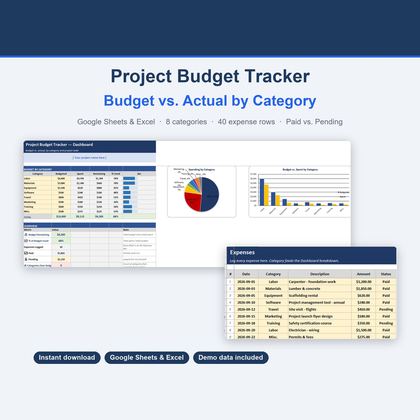
Project Budget Tracker — Google Sheets & Excel
Budget vs. actual across 8 editable categories with 40 expense rows and Paid/Pending tracking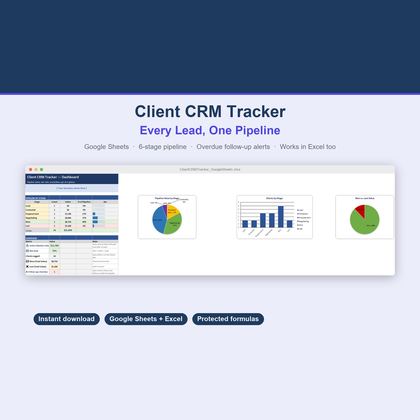
Client CRM Tracker — Google Sheets & Excel
6-stage pipeline, 40 client rows, automatic overdue follow-up flags and a win-rate dashboard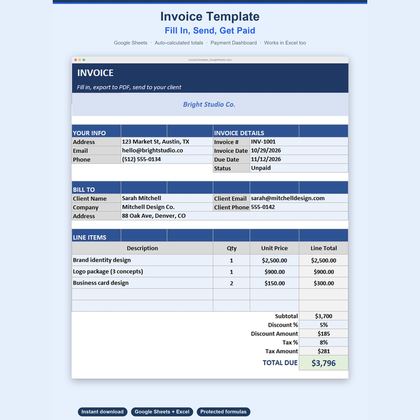
Invoice Template — Google Sheets & Excel
Printable invoice with auto-calculated totals, a 40-row invoice log and a payment dashboard