Paycheck Budget Planner — Google Sheets & Excel
Plan every weekly, biweekly, semi-monthly or monthly paycheck bill by bill
- Instant digital download; nothing is shipped
- Format: Google Sheets + Excel (Google Sheets, Excel .xlsx, Instructions)
- Personal use licence · no subscription
About this product
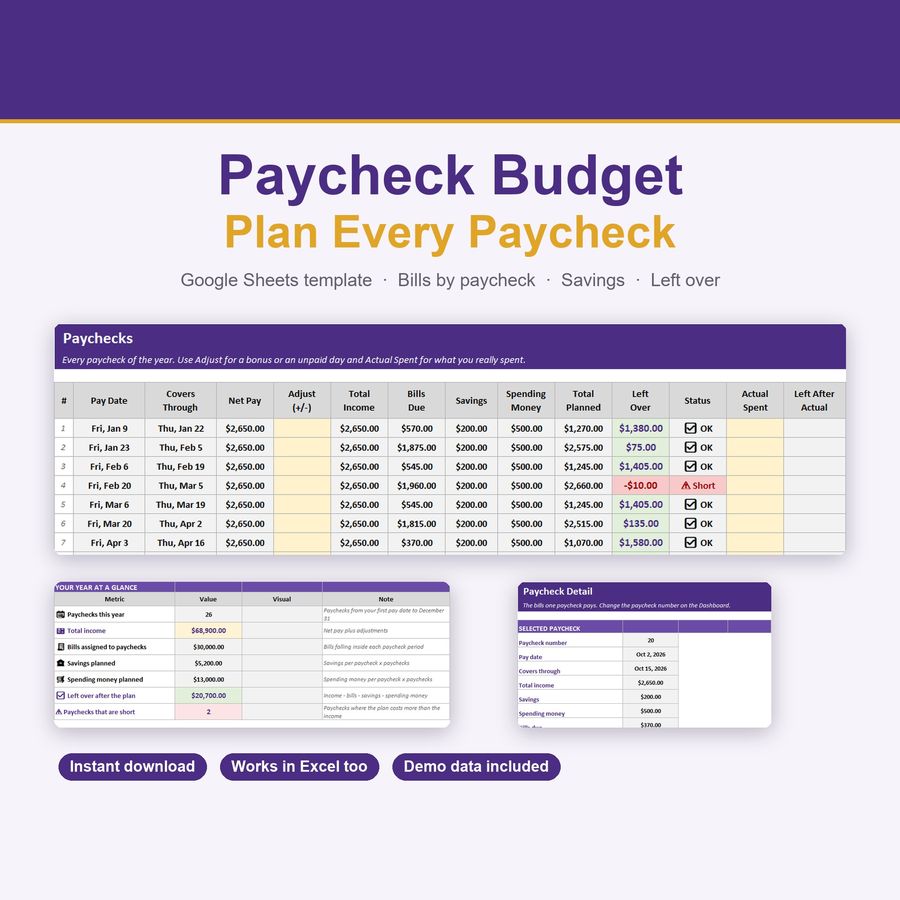
Stop guessing which paycheck pays which bill. Tell the spreadsheet how often you are paid, list your monthly bills with their due days, and it builds every paycheck of the year: which bills each paycheck has to cover, how much you save, how much spending money you keep and what is left over. If a paycheck is short, you see it months ahead.
What you get
- Works for weekly, biweekly, semi-monthly and monthly pay
- Every paycheck of the year listed automatically, with its pay date and the days it covers
- Bills assigned to the paycheck that pays them, based on their due day
- Savings and spending money per paycheck, with the amount left over
- ⚠ Short warning when a paycheck cannot cover its plan, and ✅ OK when it can
- Adjust column for bonuses or unpaid days, and Actual Spent column to log real spending
- Dashboard: total income, bills, savings, left over, your next paycheck and days until payday
- Month-by-month table, with a ⭐ on months that have an extra paycheck
- Paycheck Detail tab: the exact bills one paycheck pays, sorted by due day
- 40 bill slots with category and autopay
- Color-coded, protected cells, so formulas can't be overwritten by accident
- Works in Google Sheets AND Excel
How it works
- Download the .xlsx file
- Upload it to Google Sheets (File → Import → Upload) or open it directly in Excel
- Demo data is pre-loaded so you see it working immediately
- On the Dashboard, pick your pay frequency, your first pay date and your take-home pay
- Replace the demo bills with your own. Everything recalculates instantly
Perfect for
- Anyone who lives paycheck to paycheck and wants a clear plan
- Biweekly earners, including the two extra paycheck months every year
- Couples and families splitting bills across paychecks
- Freelancers with a regular payday
- Getting ahead of rent day, car payments and credit card due dates
Good to know
- Instant digital download — nothing is shipped
- Made for Google Sheets; a free Google account is all you need. It also opens in Microsoft Excel.
- Amounts are in US dollars ($). In Google Sheets you can change the currency under Format → Number → Currency.
- The first paycheck of the year plans from its own pay date. Bills due before it belong to last year's final paycheck.
- Digital template for personal use. Please don't resell or redistribute the file.
- This is an editable spreadsheet, not a printable PDF.
- Questions? Send me a message — happy to help! 💜
Budget Spreadsheet for Google Sheets: Set One Up in 10 Minutes
How to set up a monthly budget spreadsheet in Google Sheets in 10 minutes, with a free one-category-per-row template you can copy right now.
Questions
How do I open the template?
Upload the .xlsx file to Google Sheets (File → Import) or open it directly in Excel. Step-by-step instructions are included in the download.
Can I share the files?
Files are for your personal use. Please don’t resell or redistribute them. See the licence page for details.
Something isn’t working. What now?
Email hello@desklarkshop.com and we’ll help. See the refund policy for details.
Frequently bought together
You may also like

Holiday Gift & Budget Tracker — Browser App
Christmas gift list, budget vs actual and recipient tracker in dark & light mode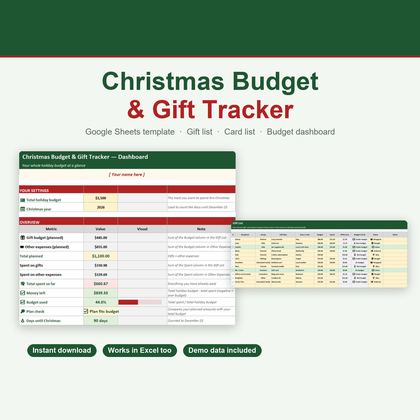
Christmas Budget & Gift Tracker — Google Sheets & Excel
Holiday budget, 40-slot gift list, other expenses and card tracker in one spreadsheet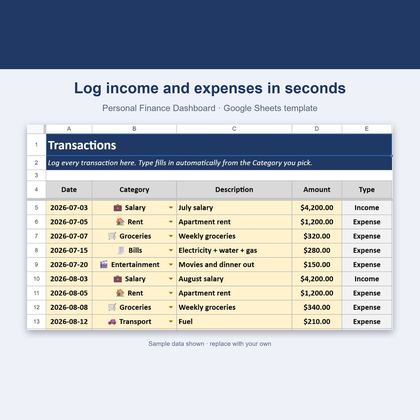
Personal Finance Dashboard — Google Sheets & Excel
Income, expenses, budgets and savings rate in one spreadsheet